Create a simple poll by adding 2 to 4 thumbnails and asking your audience to vote for the best-performing option.
YouTube thumbnail A/B tests
YouTube Thumbnail A/B Testing Tool Before Publishing
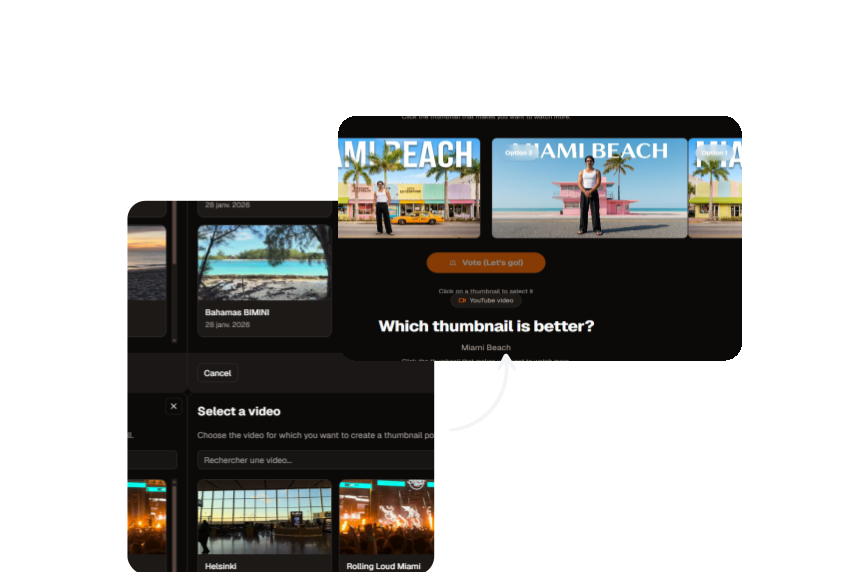
Compare 2 to 4 thumbnails, share a unique voting link, and choose a winner through real votes from your audience. Close the test and apply the best-performing thumbnail faster.
Choosing a thumbnail by intuition creates avoidable risk. Klixo gives you a simple poll tool to decide with a real signal from your audience.
Key benefits
Share a unique voting link on your social networks to collect your community's opinion.
Review vote distribution, close the test, and apply the winning thumbnail directly to your synced video.
How it works?
A practical system to move from idea to publish.
Step 1
Select your video and options
Choose the target video, then 2 to 4 thumbnail variants with real differences.
Step 2
Share the vote link
Share the poll on social networks where your target audience is active to get relevant feedback.
Step 3
Close and apply the best-performing thumbnail
Use the final result to decide quickly and apply the best-performing thumbnail.
Common mistakes to avoid
Avoid these common errors to protect your CTR.
Publishing your video with a random thumbnail, without testing.
Collecting votes from people outside your target audience, making results less useful.
Deciding too quickly without collecting enough votes.
Other useful tools
Explore other tools from Klixo
YouTube Thumbnail Generator
Generate thumbnails from a prompt, a reference image, or a persona, with control over format and resolution.
YouTube Title Generator
Generate 5 to 15 titles, compare scores, and export your shortlist.
YouTube Tag Generator
Identify relevant tags with estimated SEO signals, then sort and export your shortlist.
Ready to take action?
Move to execution: create your first output, compare options, and publish faster.
FAQ
Frequently
asked questions
Quick answers to common questions.
No. A smaller but well-targeted audience can be enough.